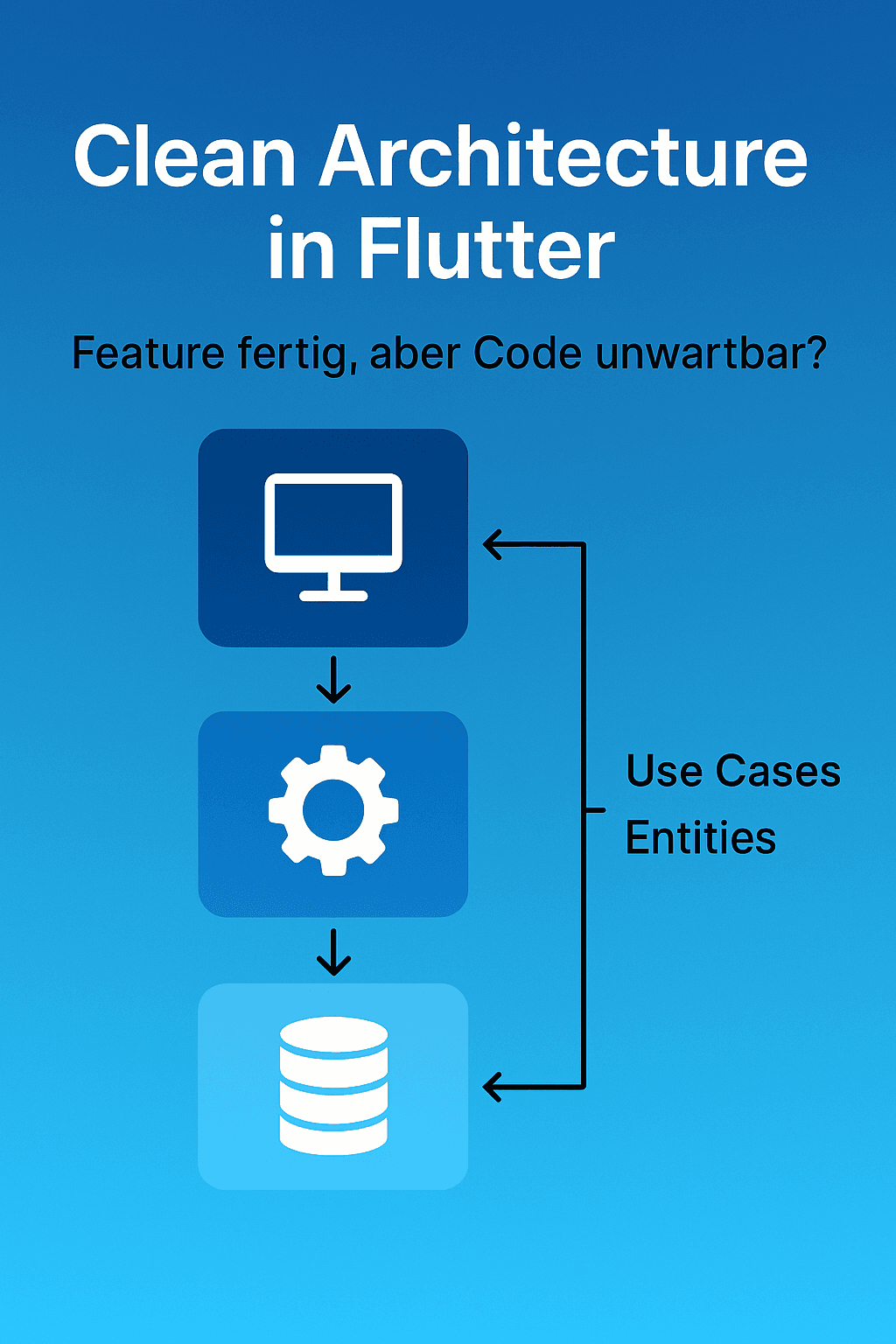
Why Clean Architecture Can Save Your Project and How to Implement It in Flutter
Feature done, but code unmaintainable? That exact feeling eats away at productivity and motivation. In the rush of everyday work, widgets grow into god objects, services somehow know everything, and every small fix causes a regression elsewhere. What’s missing isn’t diligence, but structure. Clean Architecture isn’t an academic ivory tower, but a very pragmatic tool: it forces you to separate business logic from the framework, cut dependencies cleanly, and put decisions where they belong—in the domain.
In this post, I’ll show you why Clean Architecture makes your Flutter project more stable, testable, and scalable—without getting lost in dogma. We’ll start with the symptoms of spaghetti code, then translate the core principles (Entities, Use Cases, Interfaces) into practice and map it all onto Flutter-typical layers: Presentation, Domain, and Data. Afterwards, we’ll look at a login flow together, including UseCase, Repository, and Service, and consider the right tests and mocks for each layer.
Finally, you’ll get a realistic migration path for existing codebases: step by step, no big bang. If you like, you can check out a sample repo and take away a compact cheatsheet—perfect for anchoring Clean Architecture in your next “layered architecture app” setup. Looking for Clean Architecture for Flutter? This is your practical guide to take you from gut-wrenching code to a robust codebase.
Symptoms of Spaghetti Code
If your project feels a little more unstable after every merge, if you sigh when opening a file, and if simple refactoring suddenly breaks entire screens, you probably have spaghetti code. The nasty part: it rarely arises from laziness, but almost always from time pressure and good intentions. “I’ll just put this in quickly, we’ll clean up later.” Later never comes—until speed drops and every change becomes scary.
In Flutter, spaghetti code is especially obvious because UI and business logic can conveniently end up in the same file. You’ll notice widgets becoming god objects: they build UI, talk directly to Firebase, hold session state, validate forms, map DTOs to models, and trigger navigation—all in one class. A bugfix in validation? Suddenly unit tests (if any) break, navigation behaves oddly, and somewhere a stream remains open.
Also typical are unclear dependencies. Services access each other indiscriminately, global singletons are everywhere, and you no longer know who needs whom. This leads to hidden side effects: you change a small helper method in the “utils” folder and suddenly checkout blows up. Add to that data models without boundaries—an API response is passed around the code as a “model,” including all fields the UI shouldn’t even know about. If the backend renames a field, the app breaks in five places at once.
Another strong signal is lack of testability. You want to test your login flow logic, but everything is stuck in a StatefulWidget with BuildContext, Navigator, and SnackBars. Unit tests are practically impossible, integration tests too expensive, so you test “by hand.” That costs time, is error-prone, and prevents you from refactoring boldly. And if you do test, it’s only the “happy paths,” because setting up mocks hurts and the structure doesn’t allow modular entry points.
Asynchrony quickly becomes a trap: async/await is spread across layers, there’s no clear error handling, and exceptions are sometimes thrown, sometimes swallowed, sometimes encoded as null. The UI ends up in cryptic states: a button is disabled but a spinner is still spinning; a SnackBar reports “success,” but the next screen push silently fails. These are classic symptoms of missing separation between domain logic and presentation.
If you catch yourself copy-pasting (“I’ll take the code from the registration screen and change three lines”), technical debt grows. Later, you just want to change the password policy and spend an hour searching four files for slightly different implementations. Similarly dangerous: folder structure as fig leaf. A core/, services/, screens/ looks tidy, but inside the files, responsibilities are mixed. Structure at the filesystem level does not replace clear architectural separation.
In short, spaghetti code feels like this:
Changes take longer and longer, even as the team gets more experienced.
Onboarding new developers is hard: “Best ask Max, he knows that part.”
Bugs reappear after seemingly harmless refactorings (regressions).
Tests are missing, brittle, or avoided because they “don’t help.”
Deciding where code belongs costs noticeable energy.
A small but telling anti-example:
class LoginScreen extends StatefulWidget { /* ... */ }

class _LoginScreenState extends State<LoginScreen> {
  final emailCtrl = TextEditingController();
  final passCtrl = TextEditingController();

  bool loading = false;

  Future<void> _login() async {
    setState(() => loading = true);
    try {
      // Business logic + infrastructure directly in UI
      final res = await http.post(
        Uri.parse('https://api.example.com/login'),
        body: {'email': emailCtrl.text, 'password': passCtrl.text},
      );

      if (res.statusCode == 200) {
        // parse + state + navigation mixed
        final token = jsonDecode(res.body)['token'];
        await SharedPreferences.getInstance()
            .then((sp) => sp.setString('token', token));
        if (!mounted) return;
        Navigator.of(context).pushReplacementNamed('/home');
        ScaffoldMessenger.of(context).showSnackBar(
          const SnackBar(content: Text('Welcome!')),
        );
      } else {
        ScaffoldMessenger.of(context).showSnackBar(
          const SnackBar(content: Text('Login failed')),
        );
      }
    } catch (e) {
      // Exception handling in UI
      ScaffoldMessenger.of(context).showSnackBar(
        SnackBar(content: Text('Error: $e')),
      );
    } finally {
      if (mounted) setState(() => loading = false);
    }
  }

  @override
  Widget build(BuildContext context) { /* ... */ }
}
At first glance, the screen “works.” In reality, it’s a knot of UI, domain logic, data access, and side effects. It’s hard to test, barely reusable, and painful to extend (e.g., magic links, OAuth, MFA). Every new requirement adds more if/else branches to this file.
The bottom line: spaghetti code isn’t a moral failure, but a structural problem. Without clear boundaries between what (domain/rules) and how (implementation/framework), every codebase becomes fragile over time. This is exactly where Clean Architecture comes in. It separates responsibilities so you can build features faster, test more reliably, and refactor without fear. In the next chapter, we’ll look at the principles behind it and translate them into the world of Flutter.
Principles of Clean Architecture (Entities, Use Cases, Interfaces)
Clean Architecture consistently separates rules from details. Rules are your business logic—what remains true even if you switch from REST to gRPC, from Firebase to Supabase, or from Flutter to another UI framework tomorrow. Details are everything that should be replaceable: databases, HTTP clients, frameworks, storage. The core statement: Dependencies point inward, never outward. The inner layers don’t know the outer ones and define their expectations via interfaces.
Entities – The Unshakeable Business Rules
Entities are the most stable building blocks of your system. They represent business objects and their invariants: a user, a session, an order. Important: Entities are framework-free, small, and expressive. They contain logic that always applies, no matter how the app loads data or what UI it has.
In Dart, entities are usually plain objects with methods that enforce rules. Avoid introducing HTTP or Firebase types here.
class UserId {
  final String value;
  const UserId(this.value);
}

class User {
  final UserId id;
  final String email;
  final bool emailVerified;

  const User({required this.id, required this.email, required this.emailVerified});

  bool canStartSession() => emailVerified;
}

class Session {
  final UserId userId;
  final DateTime startedAt;

  const Session({required this.userId, required this.startedAt});
}
The entities know nothing about BuildContext, SharedPreferences, or http. They are your rock—easy to test, always valid.
Use Cases – Application Logic as Flow
Use Cases describe what your app does (from the domain’s perspective), not how. They orchestrate entities and communicate with the outside world via interfaces: “Log in user,” “Create order,” “Calculate price.” Each use case has a clear input and output and forms a meaningful business unit. No “god service,” but specific application cases.
In Dart, it’s a good idea to model use cases as classes with a call method. The return type is ideally a value type (e.g., Result<Success, Failure> or a sealed class), instead of blindly throwing exceptions.
class LoginParams {
  final String email;
  final String password;
  const LoginParams(this.email, this.password);
}

sealed class LoginFailure {
  const LoginFailure();
}
class InvalidCredentials extends LoginFailure {}
class NetworkIssue extends LoginFailure {}

class LoginSuccess {
  final Session session;
  const LoginSuccess(this.session);
}

abstract class AuthRepository {
  Future<LoginSuccess> login(String email, String password);
  Future<void> logout();
  Future<User?> currentUser();
}

class LoginUseCase {
  final AuthRepository _auth;

  LoginUseCase(this._auth);

  Future<Either<LoginFailure, LoginSuccess>> call(LoginParams p) async {
    try {
      final success = await _auth.login(p.email, p.password);
      if (!success.session.userId.value.contains('-')) {
        // Example rule check – usually encapsulated in Entities/Policies
      }
      return Right(success);
    } on UnauthorizedException {
      return Left(InvalidCredentials());
    } on NetworkException {
      return Left(NetworkIssue());
    }
  }
}
The use case only knows interfaces (here AuthRepository) and no concrete data source. This allows you to swap implementations without touching the use case: today Firebase, tomorrow your own backend.
Interfaces – Contracts at the Boundaries
Interfaces define the contracts between layers. The central rule: interfaces belong inside. That means the domain determines what it needs, not the data source. The Data layer implements these interfaces and translates external details into domain objects.
Typical examples:
AuthRepository: login/logout/session access
UserRepository: CRUD for users, pagination, search
Clock, UuidGenerator, NetworkInfo: small, replaceable system services
SecureStorage: read/write tokens without leaking a specific storage library
The interface lives in the domain, the implementation in data:
// domain/auth_repository.dart
abstract class AuthRepository {
  Future<LoginSuccess> login(String email, String password);
  Future<void> logout();
}

// data/firebase_auth_repository.dart
class FirebaseAuthRepository implements AuthRepository {
  final FirebaseAuth _fa;
  final SecureStorage _storage;

  FirebaseAuthRepository(this._fa, this._storage);

  @override
  Future<LoginSuccess> login(String email, String password) async {
    final cred = await _fa.signInWithEmailAndPassword(email: email, password: password);
    final user = cred.user!;
    final session = Session(userId: UserId(user.uid), startedAt: DateTime.now());
    await _storage.write('session_user', user.uid);
    return LoginSuccess(session);
  }

  @override
  Future<void> logout() async {
    await _fa.signOut();
    await _storage.delete('session_user');
  }
}
This way, the domain remains in charge. The data layer is an adapter: it adapts external types (SDK objects, JSON) to your entities, never the other way around.
Dependency Inversion in Practice
Clean Architecture enforces the Dependency Inversion Principle (DIP): high-level policies (use cases, entities) depend on abstractions, not concrete details. The concrete details depend on these abstractions. In Flutter, this means:
The UI injects use cases (e.g., via DI/service locator), calls them, and renders results.
Use cases only call interfaces.
Data implements the interfaces and is wired up at app start.
A practical guardrail sentence to keep in mind during code reviews:
Entities only know entities.
Use cases know entities and interfaces.
Interfaces live in the domain, implementations in data.
Presentation knows use cases (and mappers), but no data details.
Why all this?
Because this gives you testable, replaceable, and extensible software. You can test a use case as pure functionality by replacing the repository with a fake/mock. You can switch data sources without touching the domain. And you can slice features without the UI or data layer exploding. In short: you make rules robust and details cheap.
In the next chapter, we’ll map these principles concretely onto Flutter layers—Presentation, Domain, and Data—and show you how to structure your project without overhead.
Flutter-Specific Layers (Presentation, Domain, Data)
Clean Architecture becomes truly powerful in Flutter when you consistently map it to three layers: Presentation (widgets & state), Domain (rules & use cases), and Data (adapters to APIs, DB, SDKs). The golden rule remains: dependencies point from outside in. The UI only knows use cases, use cases only know interfaces, and the data layer implements exactly these interfaces.
Presentation – UI & State, but No Business Logic
The presentation layer answers only one question: How does the user interact and what should the UI display? This is where widgets, router/navigator, UI-level form validation, and your state management belong (e.g., Riverpod, Bloc, Stacked, ValueNotifier).
Separation is key: the UI calls use cases and translates their results into view state. No HTTP calls, no SDK types, no token storage.
A minimal example with Riverpod (works analogously with Bloc/Stacked):
// presentation/login_controller.dart
import 'package:flutter_riverpod/flutter_riverpod.dart';
import '../domain/auth/login_usecase.dart';
import '../domain/auth/login_result.dart';

final loginControllerProvider =
    AutoDisposeNotifierProvider<LoginController, AsyncValue<void>>(
  LoginController.new,
);

class LoginController extends AutoDisposeNotifier<AsyncValue<void>> {
  late final LoginUseCase _login = ref.read(loginUseCaseProvider);

  @override
  AsyncValue<void> build() => const AsyncValue.data(null);

  Future<void> submit(String email, String password) async {
    state = const AsyncValue.loading();
    final result = await _login(LoginParams(email, password));
    state = result.fold(
      (failure) => AsyncValue.error(failure, StackTrace.current),
      (_) => const AsyncValue.data(null),
    );
  }
}
The widget only consumes the controller state:
// presentation/login_screen.dart
class LoginScreen extends ConsumerWidget {
  const LoginScreen({super.key});

  @override
  Widget build(BuildContext context, WidgetRef ref) {
    final state = ref.watch(loginControllerProvider);
    return Scaffold(
      appBar: AppBar(title: const Text('Login')),
      body: switch (state) {
        AsyncLoading() => const Center(child: CircularProgressIndicator()),
        AsyncError(:final error) => Center(child: Text('Error: $error')),
        _ => _LoginForm(onSubmit: (e, p) {
          ref.read(loginControllerProvider.notifier).submit(e, p);
        }),
      },
    );
  }
}
The UI remains free of infrastructure details and thus testable: you can feed the controller with a fake use case and test rendering separately.
Domain – Rules, Entities, and Use Cases (Pure Dart)
The domain is framework-free. Here you define entities (with invariants), value objects (e.g., Email), use cases as application logic, and the interfaces (repositories, services) you need from the outside. The domain knows nothing about HTTP, Firebase, or BuildContext. Model errors as failure types instead of raw exceptions so the UI can react specifically.
// domain/auth/entities.dart
class UserId {
  final String value;
  const UserId(this.value);
}

class User {
  final UserId id;
  final String email;
  final bool emailVerified;
  const User({required this.id, required this.email, required this.emailVerified});

  bool canLogin() => emailVerified;
}
// domain/auth/auth_repository.dart (Interface!)
abstract class AuthRepository {
Future<LoginResult> login(String email, String password);
Future<void> logout();
Future<User?> currentUser();
}// domain/auth/login_usecase.dart
import 'auth_repository.dart';
import 'login_result.dart';
class LoginParams {
final String email;
final String password;
const LoginParams(this.email, this.password);
}
class LoginUseCase {
final AuthRepository _repo;
const LoginUseCase(this._repo);
Future<LoginResult> call(LoginParams p) => _repo.login(p.email, p.password);
}// domain/auth/login_result.dart (Failure/Success clearly typed)
sealed class LoginFailure {
const LoginFailure();
factory LoginFailure.invalidCredentials() = InvalidCredentials;
factory LoginFailure.network() = NetworkIssue;
factory LoginFailure.unexpected() = UnexpectedFailure;
}
class InvalidCredentials extends LoginFailure { const InvalidCredentials(); }
class NetworkIssue extends LoginFailure { const NetworkIssue(); }
class UnexpectedFailure extends LoginFailure { const UnexpectedFailure(); }
final class LoginSuccess {
final User user;
const LoginSuccess(this.user);
}
// Simple Either-like wrapper:
typedef LoginResult = Result<LoginSuccess, LoginFailure>;
class Result<T, E> {
final T? ok; final E? err;
const Result.ok(this.ok) : err = null;
const Result.err(this.err) : ok = null;
R fold<R>(R Function(E) onErr, R Function(T) onOk)
=> ok != null ? onOk(ok as T) : onErr(err as E);
}This layer is long-lived. You can later switch the backend without touching the domain.
Data – Adapters to APIs, DBs, and SDKs (Mapping & Caching)
The data layer implements the domain’s interfaces and is the “translator”: from external formats/types/exceptions to clean domain objects and failure types. A clear subdivision helps enormously:
Remote Data Source (HTTP/Dio, gRPC, Firebase Auth, Firestore …)
Local Data Source (Hive/Sqflite/SharedPreferences/Secure Storage)
DTO/Model & Mapper (JSON ↔︎ Entity)
Repository Implementation (orchestrates sources, maps errors)
A practical example with HTTP + Secure Storage:
// data/auth/dto/user_dto.dart
class UserDto {
  final String id;
  final String email;
  final bool emailVerified;

  const UserDto({required this.id, required this.email, required this.emailVerified});

  factory UserDto.fromJson(Map<String, dynamic> j) => UserDto(
    id: j['id'] as String,
    email: j['email'] as String,
    emailVerified: j['emailVerified'] as bool? ?? false,
  );

  User toEntity() => User(
    id: UserId(id),
    email: email,
    emailVerified: emailVerified,
  );
}
// data/auth/remote/auth_api.dart
import 'package:dio/dio.dart';
import 'dto/user_dto.dart';
class AuthApi {
final Dio _dio;
AuthApi(this._dio);
Future<(String token, UserDto user)> login(String email, String password) async {
final res = await _dio.post('/login', data: {'email': email, 'password': password});
final data = res.data as Map<String, dynamic>;
return (data['token'] as String, UserDto.fromJson(data['user']));
}
}// data/auth/local/token_storage.dart
abstract class TokenStorage {
Future<void> save(String token);
Future<String?> read();
Future<void> clear();
}// data/auth/auth_repository_impl.dart
import '../../domain/auth/auth_repository.dart';
import '../../domain/auth/login_result.dart';
import '../../domain/auth/entities.dart';
import 'remote/auth_api.dart';
import 'local/token_storage.dart';
class AuthRepositoryImpl implements AuthRepository {
final AuthApi _api;
final TokenStorage _storage;
AuthRepositoryImpl(this._api, this._storage);
@override
Future<LoginResult> login(String email, String password) async {
try {
final (token, userDto) = await _api.login(email, password);
await _storage.save(token);
final user = userDto.toEntity();
if (!user.canLogin()) {
return const Result.err(UnexpectedFailure());
}
return Result.ok(LoginSuccess(user));
} on DioException catch (e) {
if (e.response?.statusCode == 401) return const Result.err(InvalidCredentials());
return const Result.err(NetworkIssue());
} catch (_) {
return const Result.err(UnexpectedFailure());
}
}
@override
Future<void> logout() async => _storage.clear();
@override
Future<User?> currentUser() async {
final t = await _storage.read();
if (t == null) return null;
// optional: /me call or load locally cached user
return null;
}
}The implementation knows details (Dio, JSON form, storage), but your domain always gets clean user entities and typed failures. This keeps tests stable, even if API responses change.
Wiring (DI) – Composition Root in main.dart
Somewhere you have to decide which implementation gets an interface. That’s the job of your composition root (usually in main.dart or a bootstrap()), e.g., with get_it:
// app/di.dart
import 'package:get_it/get_it.dart';
import 'package:dio/dio.dart';
import '../domain/auth/auth_repository.dart';
import '../domain/auth/login_usecase.dart';
import '../data/auth/auth_repository_impl.dart';
import '../data/auth/remote/auth_api.dart';
import '../data/auth/local/token_storage_impl.dart'; // your concrete storage implementation

final sl = GetIt.instance;

void configureDependencies() {
  // Low-level
  sl.registerLazySingleton(() => Dio(BaseOptions(baseUrl: 'https://api.example.com')));
  sl.registerLazySingleton<TokenStorage>(() => SecureTokenStorage());

  // Data
  sl.registerLazySingleton(() => AuthApi(sl()));
  sl.registerLazySingleton<AuthRepository>(() => AuthRepositoryImpl(sl(), sl()));

  // Domain
  sl.registerFactory(() => LoginUseCase(sl<AuthRepository>()));
}
In the UI, you only get the use cases (or controller/notifier that consumes them). The data layer remains completely hidden behind interfaces.
A Pragmatic Folder Structure
A clear structure helps you and every new team member find their way immediately:
lib/
  app/                # bootstrap, di, router
  core/               # result/failure, utils, constants (framework-free)
  presentation/
    login/            # screens, controller/notifier/bloc, mapper UI<->Domain
    widgets/          # shared UI
  domain/
    auth/
      entities/
      value_objects/
      usecases/
      repositories/   # interfaces!
  data/
    auth/
      dto/
      remote/         # APIs/SDKs
      local/          # cache/storage
      repositories/   # *Impl classes
The structure isn’t dogma, but it enforces the right mindset: UI talks to domain, domain defines contracts, data adapts.
Typical Pitfalls (Briefly)
Leaking SDK types into the domain (e.g., UserCredential from Firebase): always map.
Passing exceptions up to the UI: prefer failure types and clear flow.
Use cases as “thin pass-throughs”: if a use case doesn’t orchestrate, a rule is often missing or it belongs in the UI.
Repository knows widgets/context: keep a hard boundary, no ScaffoldMessenger/navigation in data/domain.
With this split, your Flutter project immediately feels calmer: the UI stays light, the domain stable, and data is replaceable. In the next chapter, we’ll implement this concretely for the login flow. From use case to repository to service implementation, step by step.
Example: Login Flow (UseCase, Repository, Service)
We’ll set up login cleanly end-to-end, from domain to adapter. Goal: the UI only calls a use case. The use case talks to a repository (interface), and the repository orchestrates services (HTTP/Firebase, storage), maps external details to domain objects and typed errors. This keeps the core testable and the data source replaceable.
1) Domain: Contracts and Use Case
In the domain, we define entities, failure/result types, the repository interface, and the use case. No framework dependencies, just pure Dart.
// domain/auth/entities.dart
class UserId {
  final String value;
  const UserId(this.value);
}

class User {
  final UserId id;
  final String email;
  final bool emailVerified;
  const User({required this.id, required this.email, required this.emailVerified});

  bool canLogin() => emailVerified; // simple but testable rule
}
// domain/core/result.dart
typedef Result<T, E> = _Result<T, E>;
class _Result<T, E> {
final T? ok;
final E? err;
const _Result.ok(this.ok) : err = null;
const _Result.err(this.err) : ok = null;
R fold<R>(R Function(E) onErr, R Function(T) onOk)
=> ok != null ? onOk(ok as T) : onErr(err as E);
}// domain/auth/login_types.dart
sealed class LoginFailure {
const LoginFailure();
}
class InvalidCredentials extends LoginFailure { const InvalidCredentials(); }
class NetworkIssue extends LoginFailure { const NetworkIssue(); }
class UnexpectedFailure extends LoginFailure { const UnexpectedFailure(); }
final class LoginSuccess {
final User user;
const LoginSuccess(this.user);
}
typedef LoginResult = Result<LoginSuccess, LoginFailure>;// domain/auth/auth_repository.dart (Interface!)
import 'login_types.dart';
import '../auth/entities.dart';
abstract class AuthRepository {
Future<LoginResult> login(String email, String password);
Future<void> logout();
Future<User?> currentUser();
}// domain/auth/login_usecase.dart
import 'auth_repository.dart';
import 'login_types.dart';
class LoginParams {
final String email;
final String password;
const LoginParams(this.email, this.password);
}
class LoginUseCase {
final AuthRepository _repo;
const LoginUseCase(this._repo);
Future<LoginResult> call(LoginParams p) => _repo.login(p.email, p.password);
}These classes rarely change. Whether you later switch from Firebase to your own backend: the domain remains stable.
2) Data: Service + DTOs (Adapter to “the Outside World”)
The data layer implements details: HTTP calls/Firebase SDK, token storage, DTOs, and mappings. A possible HTTP service with dio:
// data/auth/dto/user_dto.dart
import '../../domain/auth/entities.dart';

class UserDto {
  final String id;
  final String email;
  final bool emailVerified;

  const UserDto({required this.id, required this.email, required this.emailVerified});

  factory UserDto.fromJson(Map<String, dynamic> j) => UserDto(
    id: j['id'] as String,
    email: j['email'] as String,
    emailVerified: (j['emailVerified'] as bool?) ?? false,
  );

  User toEntity() => User(id: UserId(id), email: email, emailVerified: emailVerified);
}
// data/auth/remote/auth_remote_service.dart
import 'package:dio/dio.dart';
import '../dto/user_dto.dart';
class AuthRemoteService {
final Dio _dio;
AuthRemoteService(this._dio);
/// Returns (token, user) or throws a DioException with status code.
Future<(String token, UserDto user)> login(String email, String password) async {
final res = await _dio.post('/login', data: {'email': email, 'password': password});
final map = res.data as Map<String, dynamic>;
return (map['token'] as String, UserDto.fromJson(map['user']));
}
}// data/auth/local/token_storage.dart
abstract class TokenStorage {
Future<void> save(String token);
Future<String?> read();
Future<void> clear();
}A concrete storage implementation (e.g., with flutter_secure_storage) also lives in data/auth/local/… and only fulfills this interface.
3) Repository: Orchestration & Error Mapping
The repository is the translator between domain and services. It calls the remote service, stores the token, maps DTO → entity and exceptions → failure.
// data/auth/auth_repository_impl.dart
import 'package:dio/dio.dart';
import '../../domain/auth/auth_repository.dart';
import '../../domain/auth/login_types.dart';
import '../../domain/auth/entities.dart';
import 'remote/auth_remote_service.dart';
import 'local/token_storage.dart';

class AuthRepositoryImpl implements AuthRepository {
  final AuthRemoteService _remote;
  final TokenStorage _tokens;
  AuthRepositoryImpl(this._remote, this._tokens);

  @override
  Future<LoginResult> login(String email, String password) async {
    try {
      final (token, userDto) = await _remote.login(email, password);
      await _tokens.save(token);

      final user = userDto.toEntity();
      if (!user.canLogin()) {
        // Respect domain rule
        return const LoginResult.err(UnexpectedFailure());
      }
      return LoginResult.ok(LoginSuccess(user));
    } on DioException catch (e) {
      if (e.response?.statusCode == 401) return const LoginResult.err(InvalidCredentials());
      return const LoginResult.err(NetworkIssue());
    } catch (_) {
      return const LoginResult.err(UnexpectedFailure());
    }
  }

  @override
  Future<void> logout() async {
    await _tokens.clear();
  }

  @override
  Future<User?> currentUser() async {
    final t = await _tokens.read();
    if (t == null) return null;
    // Optional: /me call to load user data
    return null;
  }
}
Make sure no UI details appear here. No navigation calls, no SnackBars. The repository returns a LoginResult, the UI decides what to render.
4) Presentation Binding in Brief
The UI only depends on LoginUseCase. Whether Riverpod, Bloc, or Stacked, the idea is the same: controller/bloc calls the use case and translates the result into view state.
// presentation/login_controller.dart (Example with Riverpod)
import 'package:flutter_riverpod/flutter_riverpod.dart';
import '../../domain/auth/login_usecase.dart';
import '../../domain/auth/login_types.dart';

final loginControllerProvider =
    AutoDisposeNotifierProvider<LoginController, AsyncValue<LoginSuccess?>>(
  LoginController.new,
);

class LoginController extends AutoDisposeNotifier<AsyncValue<LoginSuccess?>> {
  late final LoginUseCase _login = ref.read(loginUseCaseProvider);

  @override
  AsyncValue<LoginSuccess?> build() => const AsyncValue.data(null);

  Future<void> submit(String email, String password) async {
    state = const AsyncValue.loading();
    final res = await _login(LoginParams(email, password));
    state = res.fold(
      (failure) => AsyncValue.error(failure, StackTrace.current),
      (ok) => AsyncValue.data(ok),
    );
  }
}
If you use Stacked, your ViewModel does exactly the same: inject dependencies, call submit(), set status fields. The only important thing is that it doesn’t talk to data sources directly.
5) Wiring (DI) in the Composition Root
This is where you decide which implementation gets an interface. This happens once at app start.
// app/di.dart  – Example with get_it
import 'package:get_it/get_it.dart';
import 'package:dio/dio.dart';
import '../domain/auth/auth_repository.dart';
import '../domain/auth/login_usecase.dart';
import '../data/auth/auth_repository_impl.dart';
import '../data/auth/remote/auth_remote_service.dart';
import '../data/auth/local/token_storage.dart';
import '../data/auth/local/secure_token_storage.dart'; // your concrete impl

final sl = GetIt.instance;

void configureDependencies() {
  // Low-Level
  sl.registerLazySingleton(() => Dio(BaseOptions(baseUrl: 'https://api.example.com')));
  sl.registerLazySingleton<TokenStorage>(() => SecureTokenStorage());

  // Services
  sl.registerLazySingleton(() => AuthRemoteService(sl()));

  // Repositories
  sl.registerLazySingleton<AuthRepository>(() => AuthRepositoryImpl(sl(), sl()));

  // Use Cases
  sl.registerFactory(() => LoginUseCase(sl<AuthRepository>()));
}

// Optional provider if you use Riverpod:
final loginUseCaseProvider = Provider<LoginUseCase>((_) => sl<LoginUseCase>());
This makes the flow clear: UI → UseCase → AuthRepository (interface) → AuthRepositoryImpl → AuthRemoteService/TokenStorage. The domain stays in charge, services are replaceable.
6) UI: Form, Error Mapping & Navigation
The UI stays slim: it collects input, shows loading/error states, and delegates the actual work to the LoginUseCase. The important thing is that the UI knows no infrastructure. It only reacts to the result type from the domain. This makes it easy to test and replace (e.g., for web/desktop).
In the following example, we build a compact login form (with Riverpod). You can apply the pattern 1:1 to Bloc or Stacked: the controller/viewmodel calls the use case, provides a clear status, and the UI renders accordingly.
// presentation/login_screen.dart
import 'package:flutter/material.dart';
import 'package:flutter_riverpod/flutter_riverpod.dart';
import '../../domain/auth/login_types.dart';
import 'login_controller.dart'; // calls LoginUseCase

class LoginScreen extends ConsumerWidget {
  const LoginScreen({super.key});

  @override
  Widget build(BuildContext context, WidgetRef ref) {
    final state = ref.watch(loginControllerProvider);
    ref.listen(loginControllerProvider, (prev, next) {
      // React to successful logins (once, side-effect friendly)
      if (next is AsyncData && next.value != null) {
        Navigator.of(context).pushReplacementNamed('/home');
      }
      // Show errors nicely
      if (next is AsyncError) {
        final msg = _messageFor(next.error);
        ScaffoldMessenger.of(context).showSnackBar(SnackBar(content: Text(msg)));
      }
    });

    final loading = state.isLoading;

    return Scaffold(
      appBar: AppBar(title: const Text('Login')),
      body: Center(
        child: ConstrainedBox(
          constraints: const BoxConstraints(maxWidth: 420),
          child: AutofillGroup(
            child: Padding(
              padding: const EdgeInsets.all(16),
              child: _LoginForm(loading: loading),
            ),
          ),
        ),
      ),
    );
  }

  String _messageFor(Object error) {
    if (error is InvalidCredentials) return 'Email or password is incorrect.';
    if (error is NetworkIssue) return 'Network problem. Please try again later.';
    return 'Unexpected error. Please try again.';
  }
}

class _LoginForm extends ConsumerStatefulWidget {
  const _LoginForm({required this.loading});
  final bool loading;

  @override
  ConsumerState<_LoginForm> createState() => _LoginFormState();
}

class _LoginFormState extends ConsumerState<_LoginForm> {
  final _formKey = GlobalKey<FormState>();
  final _email = TextEditingController();
  final _password = TextEditingController();

  @override
  void dispose() {
    _email.dispose();
    _password.dispose();
    super.dispose();
  }

  @override
  Widget build(BuildContext context) {
    return Form(
      key: _formKey,
      child: Column(
        mainAxisSize: MainAxisSize.min,
        children: [
          TextFormField(
            controller: _email,
            autofillHints: const [AutofillHints.username, AutofillHints.email],
            keyboardType: TextInputType.emailAddress,
            decoration: const InputDecoration(labelText: 'Email'),
            validator: (v) => (v == null || v.isEmpty) ? 'Please enter email' : null,
          ),
          const SizedBox(height: 12),
          TextFormField(
            controller: _password,
            autofillHints: const [AutofillHints.password],
            obscureText: true,
            decoration: const InputDecoration(labelText: 'Password'),
            validator: (v) => (v == null || v.isEmpty) ? 'Please enter password' : null,
          ),
          const SizedBox(height: 20),
          SizedBox(
            width: double.infinity,
            child: ElevatedButton(
              onPressed: widget.loading ? null : () async {
                if (!_formKey.currentState!.validate()) return;
                await ref.read(loginControllerProvider.notifier)
                         .submit(_email.text.trim(), _password.text);
              },
              child: widget.loading
                  ? const Padding(
                      padding: EdgeInsets.symmetric(vertical: 6),
                      child: SizedBox(height: 18, width: 18, child: CircularProgressIndicator(strokeWidth: 2)))
                  : const Text('Login'),
            ),
          ),
        ],
      ),
    );
  }
}
The key is the error and state flow: the controller provides AsyncLoading, AsyncError(LoginFailure), or AsyncData(LoginSuccess). The UI disables the button, shows a loader if needed, maps LoginFailure to understandable texts, and navigates on success. No Dio exceptions, no token details, no SDK types in the UI.
If you use Stacked, the pattern remains the same: your LoginViewModel injects the LoginUseCase, exposes e.g. busy/errorMessage/success and a submit(email, password) method. The view only renders the state and reacts to changes (e.g., with an AnimatedBuilder/ViewModelWidget). A minimal flow:
LoginViewModel.submit() sets setBusy(true), calls useCase(LoginParams), evaluates Result, sets errorMessage or success, then setBusy(false).
The LoginView shows a busy overlay, renders validation errors from the TextFormFields, and navigates when success == true.
This keeps your UI precise, thin, and replaceable. Tests only check interactions (e.g., “shows error message on InvalidCredentials” or “navigates on LoginSuccess”), all without real network or storage dependencies.
In the next chapter, we’ll write the right tests & mocks per layer: real unit tests for use cases, fakes/mocks for the repository, and quick verification of mappings, so your login not only works but stays stable in the long run.
Tests & Mocks per Layer
Tests secure the domain and make changes cheap. Goal: fast, deterministic unit tests; few, targeted integration tests. Start inside (domain), work your way out (data, presentation).
Domain (Use Cases, Entities)
Pure Dart, no frameworks. Only mock domain interfaces.
// usecase_test.dart
import 'package:mocktail/mocktail.dart';
import 'package:flutter_test/flutter_test.dart';

class MockAuthRepo extends Mock implements AuthRepository {}

void main() {
  test('LoginUseCase returns Success', () async {
    final repo = MockAuthRepo();
    final uc = LoginUseCase(repo);
    when(() => repo.login('a@b.com','pw'))
        .thenAnswer((_) async => Result.ok(LoginSuccess(User(/*...*/))));
    final r = await uc(LoginParams('a@b.com','pw'));
    expect(r.ok, isA<LoginSuccess>());
    verify(() => repo.login('a@b.com','pw')).called(1);
  });
}
Data (Repository Implementation)
Test mapping & error paths, no real networks. Fake the remote service/storage.
// auth_repository_impl_test.dart
class FakeRemote extends Fake implements AuthRemoteService {
  @override Future<(String, UserDto)> login(String e, String p) async
    => ('tkn', UserDto(id:'1', email:e, emailVerified:true));
}
class FakeTokens extends Fake implements TokenStorage {
  String? t; @override Future<void> save(String x) async => t = x;
}

test('Repository saves token and returns entity', () async {
  final repo = AuthRepositoryImpl(FakeRemote(), FakeTokens());
  final r = await repo.login('a@b.com','pw');
  expect(r.ok!.user.email, 'a@b.com');
});
Test error case (401 → InvalidCredentials) by having the fake throw a matching exception.
Presentation (Controller/ViewModel)
No UI rendering, just test state transitions. Override the use case via provider/DI.
// login_controller_test.dart (Riverpod)
final fakeLogin = Provider<LoginUseCase>((_) => LoginUseCase(_FakeRepoSuccess()));
test('Controller maps to Loading -> Success', () async {
  final c = ProviderContainer(overrides: [loginUseCaseProvider.overrideWithProvider(fakeLogin)]);
  final noti = c.read(loginControllerProvider.notifier);
  expectLater(c.read(loginControllerProvider), isA<AsyncData>());
  await noti.submit('a@b.com','pw');
  expect(c.read(loginControllerProvider).hasValue, true);
});
Guidelines
For unit tests, keep a few things in mind. Here are the most important points at a glance:
Small, fast unit tests > rare integration tests > very few end-to-end tests.
Test rules (domain), mappings & errors (data), states (presentation).
Use mocktail for mocks; for simple components, prefer small fakes.
Stability: test return values/failure types, not texts/logs.
CI: run tests in parallel, linter + coverage (critical use cases ≥ 80%).
Migration Path for Existing Projects
Bringing Clean Architecture into an existing Flutter project isn’t a big-bang refactor. You proceed step by step, slicing one feature at a time cleanly, keeping the app runnable at all times. The following process is tried and tested and deliberately concrete.
Pick a starting feature
Choose a clearly defined, painful feature (e.g., login, item list, checkout). Create a branch and note the current state: where is logic, where do bugs occur, what’s the dependency situation.Sketch current and target flow
Draw how the feature currently works (UI → service → everywhere) and how it should look (presentation → use case → repository → service). List the business terms that should later exist as entities/value objects.Define the domain contracts
Formulate the public contracts of the domain: what use cases exist, what data do they return, what error cases are relevant, what repositories does the domain need. Write these contracts as a short, clear spec in the feature’s readme (one paragraph per contract is enough).Wrap legacy code with an anti-corruption adapter
Put existing SDK/HTTP calls behind slim adapters that exactly serve the new domain contracts. Goal: the domain can immediately run against “old” without you having to rebuild everything. This minimizes risk and keeps the interface stable.Move business logic from UI/services into the domain
Take the first business rules (validations, calculations, decisions) out of widgets and “god services” and move them into entities/use cases. Work in small steps, after each step commit + quick manual check.Introduce a composition root
Decide in one place (e.g., main/bootstrap) which implementation gets the domain interfaces. Wire up the legacy adapters first. Optionally add a feature flag to temporarily switch back if needed.Build the data layer cleanly
Split infrastructure into remote/local sources and mappings. Ensure error cases are translated into typed failures and no framework types reach the domain. The repository only orchestrates, it doesn’t make business decisions.Slim down the presentation layer
Reduce widgets/controllers/viewmodels to interaction and view state. They only talk to use cases, map their successes/errors to UI states and navigation, and know neither SDKs nor network details.Write characterizing tests and secure the new boundaries
Add short tests that “freeze” current behavior (happy path + 1–2 important error paths). Test use cases against fakes/mocks, check mappings in data, test state transitions of your controllers/viewmodels. Keep tests small and fast.Integrate the feature incrementally
Switch the UI step by step to use case calls until no direct infrastructure accesses remain. Run the app, check telemetry/logs, and document the result with a brief architecture decision note (why? which contracts? which implementations?).Clean up legacy
Mark legacy paths as deprecated, remove unused utils/singletons, delete duplicate mappings. Update the folder structure so new team members immediately see where code belongs.Repeat the pattern for adjacent features
Take features that benefit from the first (e.g., registration after login, detail view after list). You recycle contracts, mappings, and test patterns—the migration gets faster with each step.Anchor the approach in the team
Add a short cheatsheet for reviews (“Does the UI only know use cases?”, “Are SDK types leaking into the domain?”, “Are errors typed?”). Add the layer rules and an example of an ideal feature slice to the project readme.Measure the benefit
Compare before/after: time to fix, number of files per change, test runtime, crash/error rate. Share results with the team—visible progress motivates and protects architectural decisions.
Definition of done for a migrated feature: the UI only calls use cases, the domain is framework-free and encapsulates rules, the repository implements a domain interface and hides all details, errors are typed, there are small, fast tests per layer, and the decision is documented in a short ADR.
Conclusion
Feature done, but code unmaintainable? You now have the tools to change that: clear layers, clean contracts, and a way to heal existing projects step by step. Clean Architecture isn’t an end in itself, but your safety net: rules stay stable, details become cheap, and you gain speed with every new feature. Especially in Flutter, this split pays off immediately—your app feels calmer, tests become trivial, and onboarding is easier.
Start today: use my provided migration path for existing projects and pick a single feature in an old project. Create a branch, formulate the use case, pull the logic out of the UI, put a repository in front, and run the tests. I guarantee development will soon become much easier and your apps will run better. Have fun implementing!

Comments
Please sign in to leave a comment.